
How To Add Your Business to Google + Google Maps in 2022

March 28, 2020

Get your business listed in Google maps aka "GMB" to get more traffic and customers.

Google My Business allows you to manage your location's online presence in Google for free, across all of their platforms. It's one of the most important local listings, otherwise known as citations, for Local SEO. Basically, Google will send you customers for free through local searches, if your Google My Business listing is set up and properly optimized, and especially if you're doing Google Maps marketing.

This guide is going to show you  how to get your business listed on Google maps for free, step by step.

Benefits of listing your business on Google

Google is the #1 search engine in the world. So why does your business need to be listed? Because when you add your business to Google Maps, and people search for services in your area, your Google My Business (formerly known as Google Places and Google Maps) listing is what will show up in search results. This means you'll get more online visibility, calls, and foot traffic from having this listing show up in an optimized fashion. In fact, there are a ton of benefits to having a GMB listing.

Imagine if you could show up #1 on Google maps - what would that do for your business?

How to Add Or Claim Your Google My Business Listing

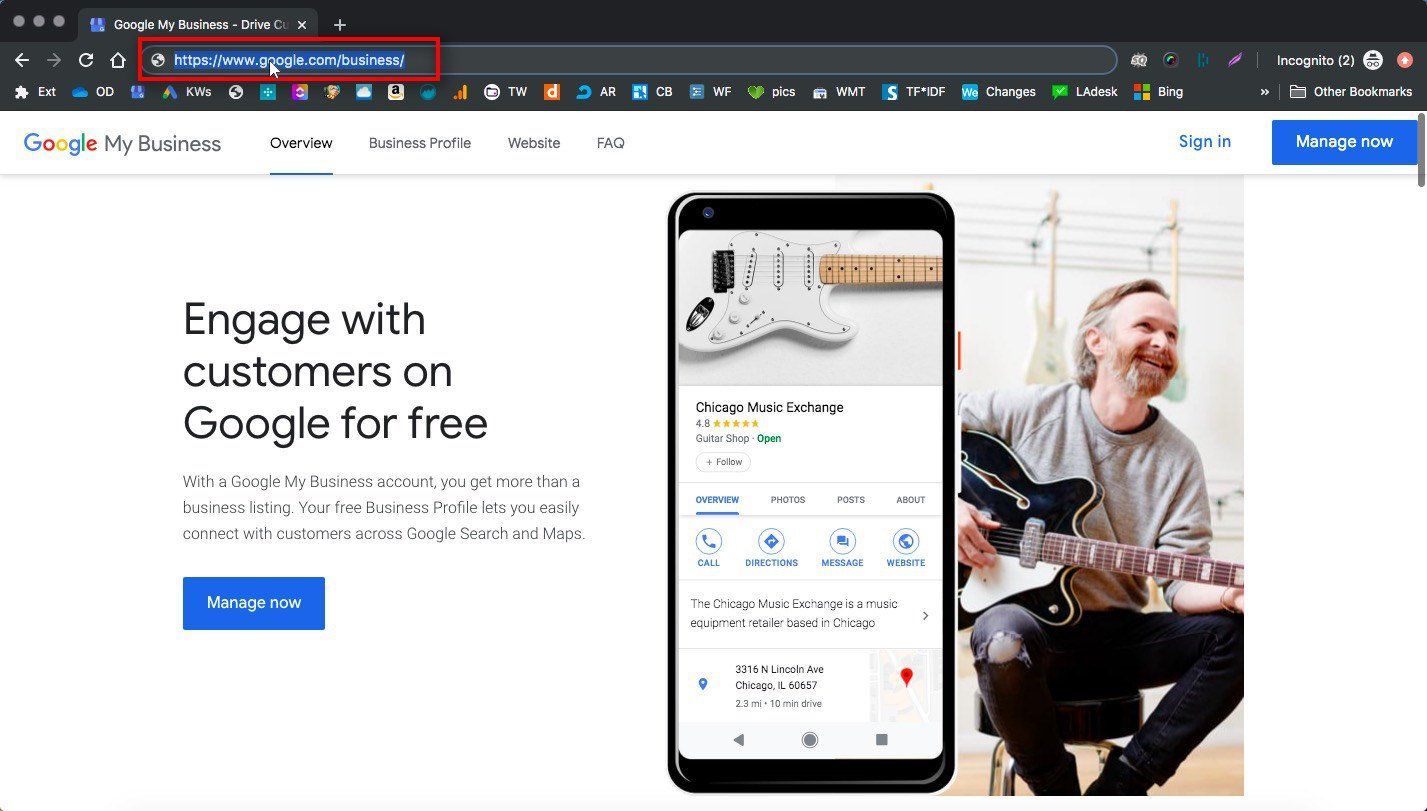
1. Go To Google My Business

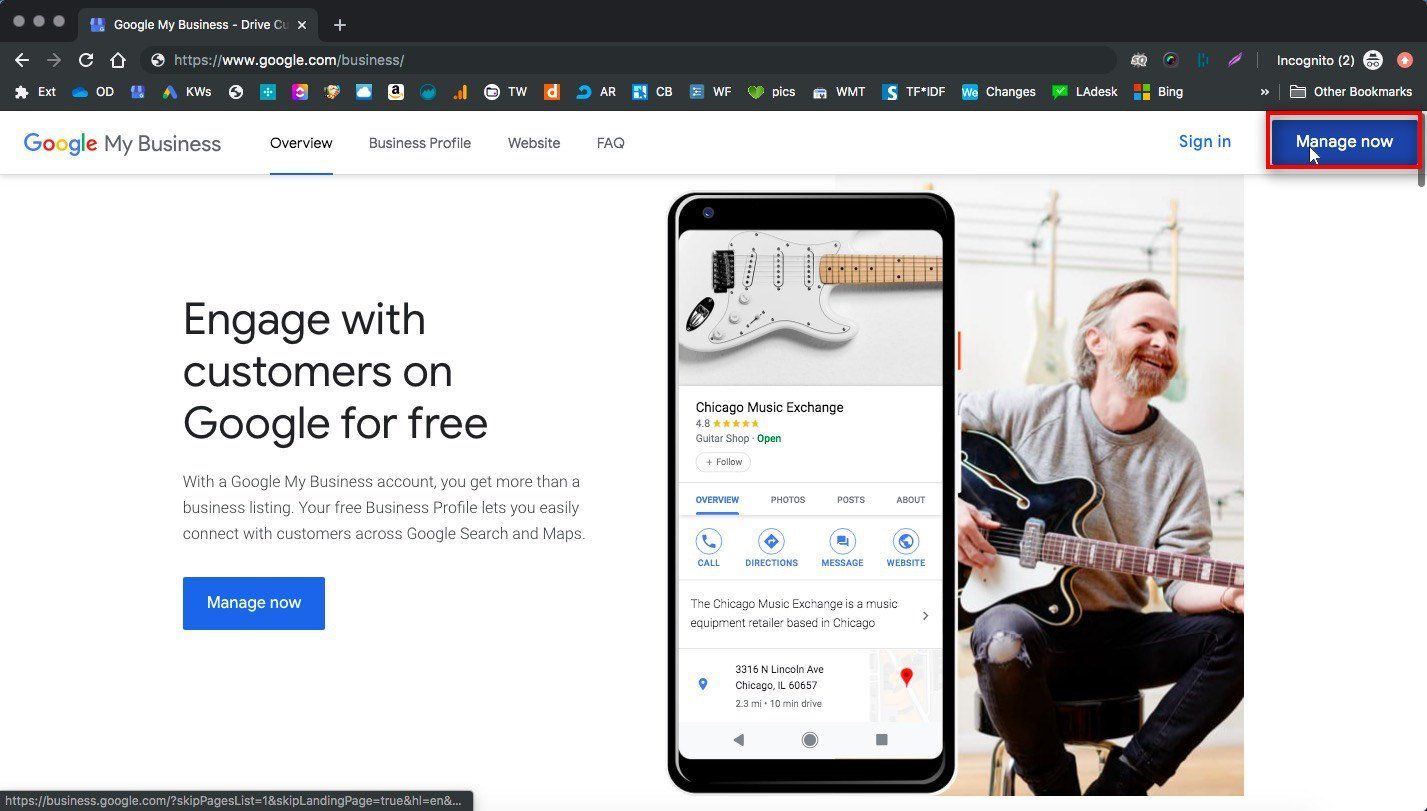
2. Click Manage Now

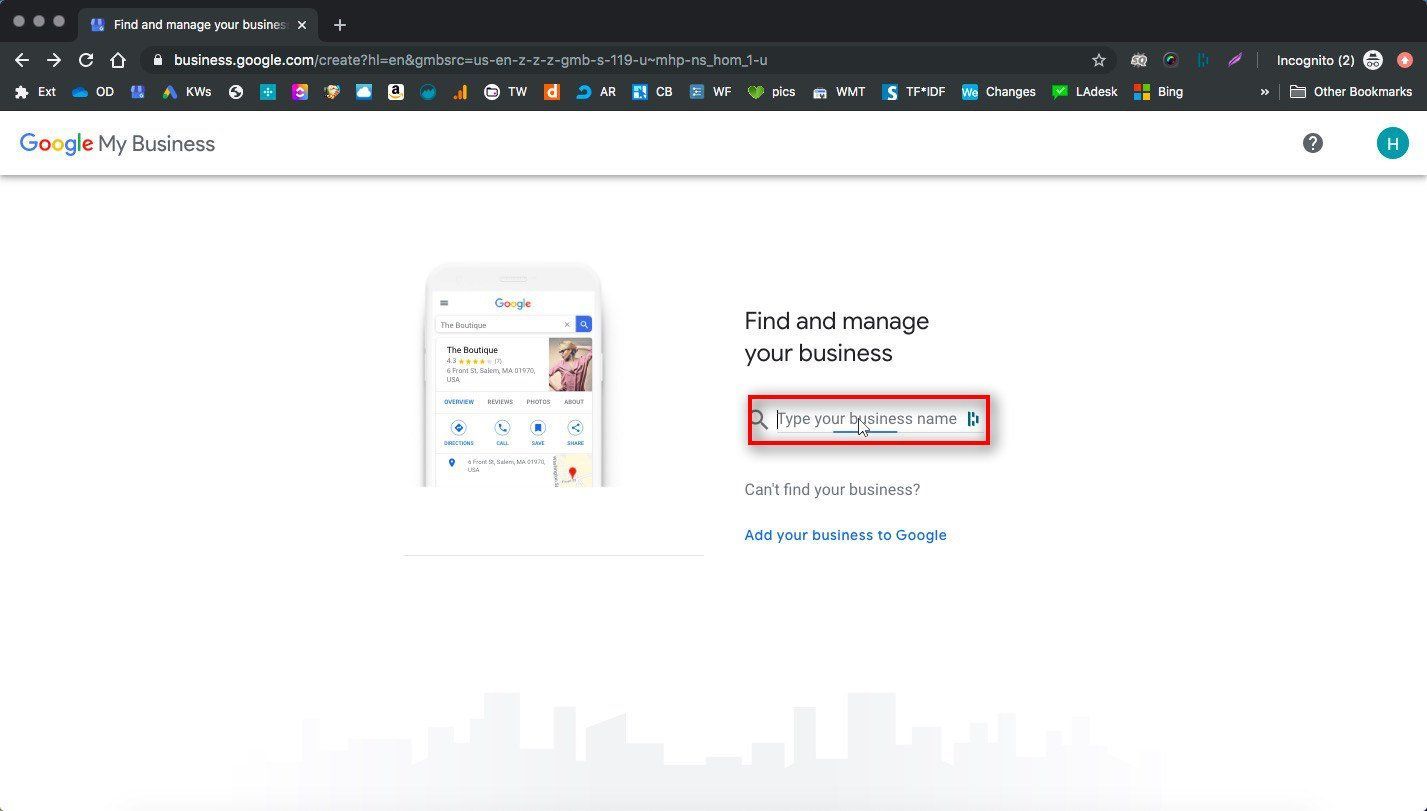
3. Enter Your Business Name

If your business already exists in Google maps, the listing will show up in the search and you can select and claim it. Make sure you search for your existing business listing here using any name variations you might have, because you don't want to create a  duplicate listing or cause NAP inconsistencies!

Make sure you’re using the exact name format you use everywhere else, since this is very important for SEO consistency and will impact your visibility later.

If your business isn't already in Google, this is where you can add it.

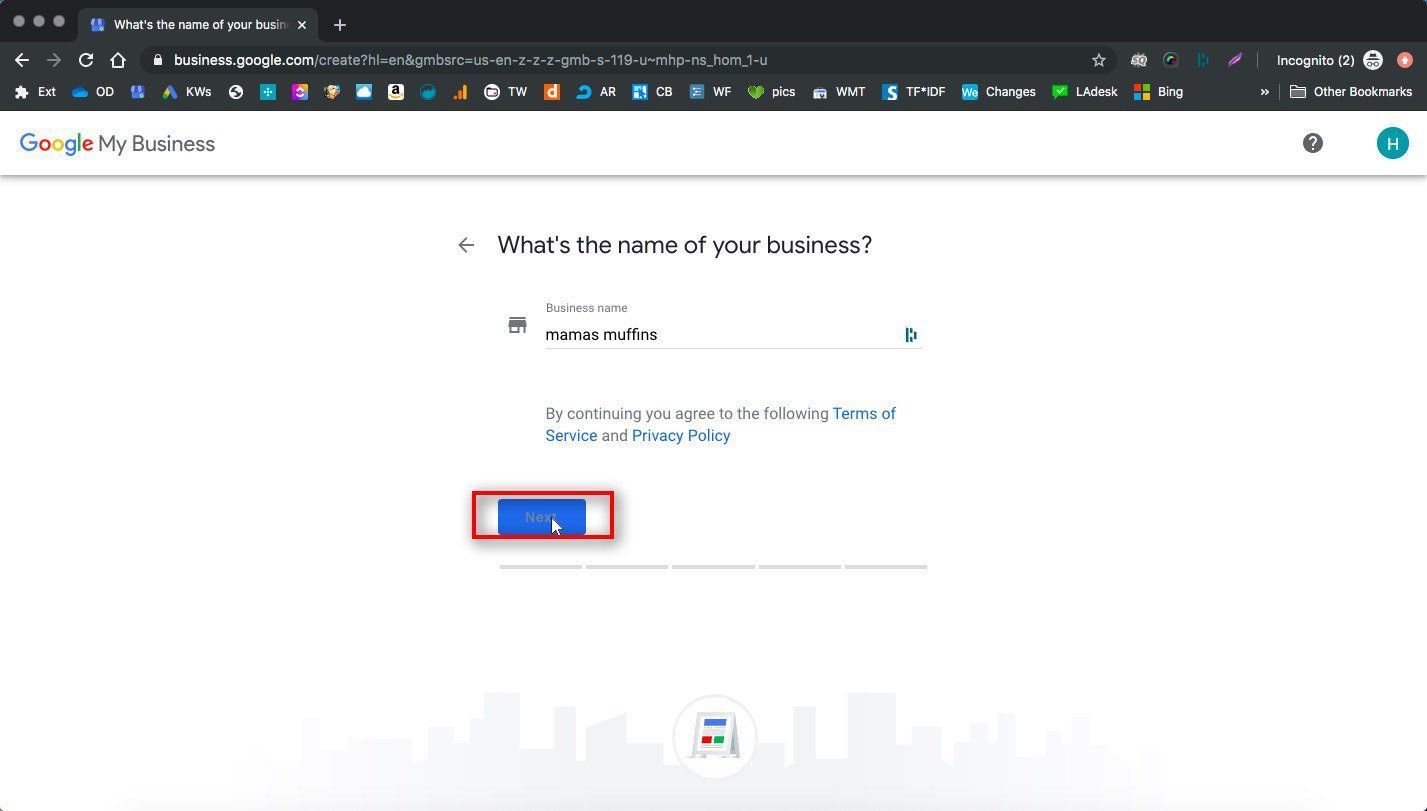
4. Confirm your business name

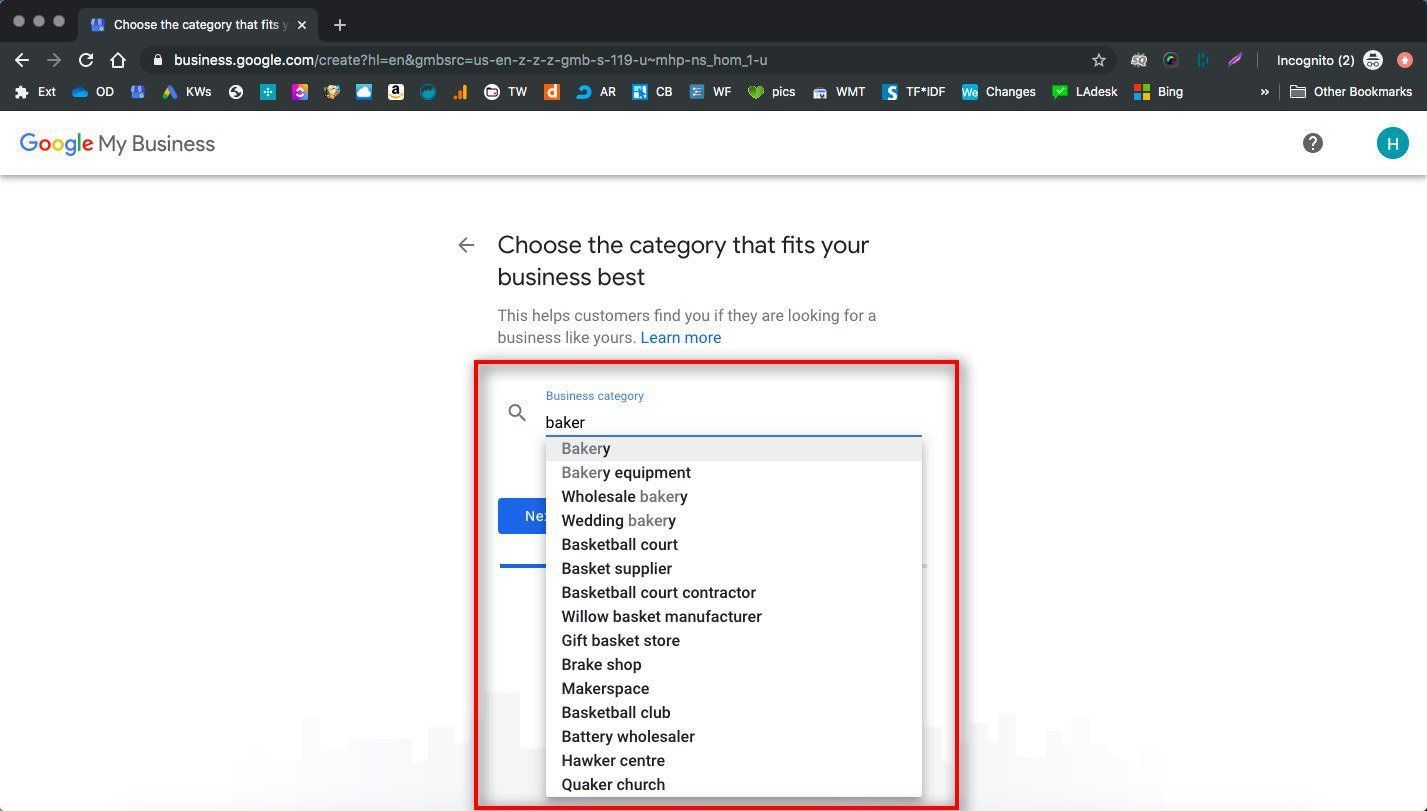
5. Select your primary business category

After your NAP information, this is the most important section of your business information. This is how Google will categorize your business, so it needs to be accurate and encompass all of your services. You can add more categories later. 

Start typing your main category, and see what comes up in the suggestions. Choose the one that fits best!

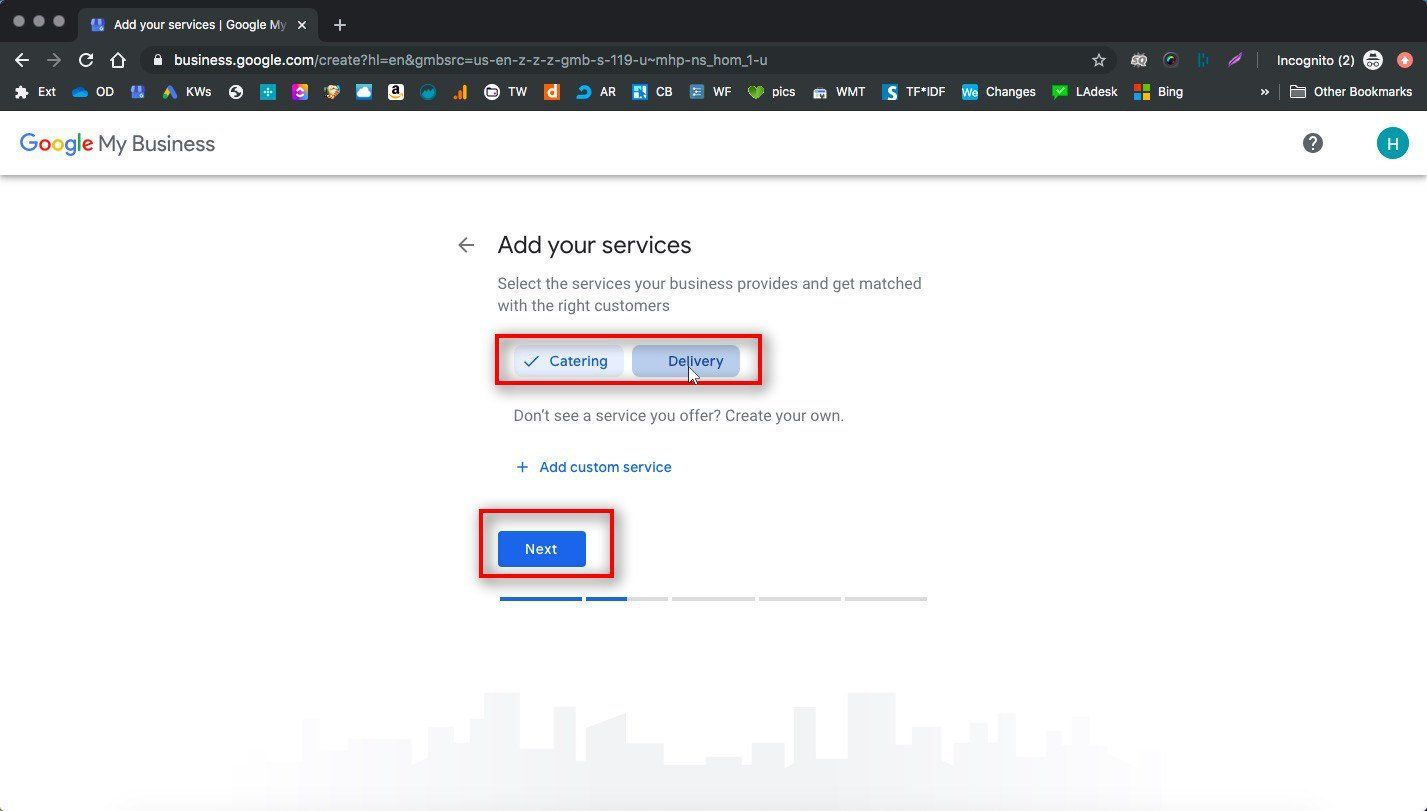
6. Add Your Services

Google may suggest some for you. You should add all of your main services here!

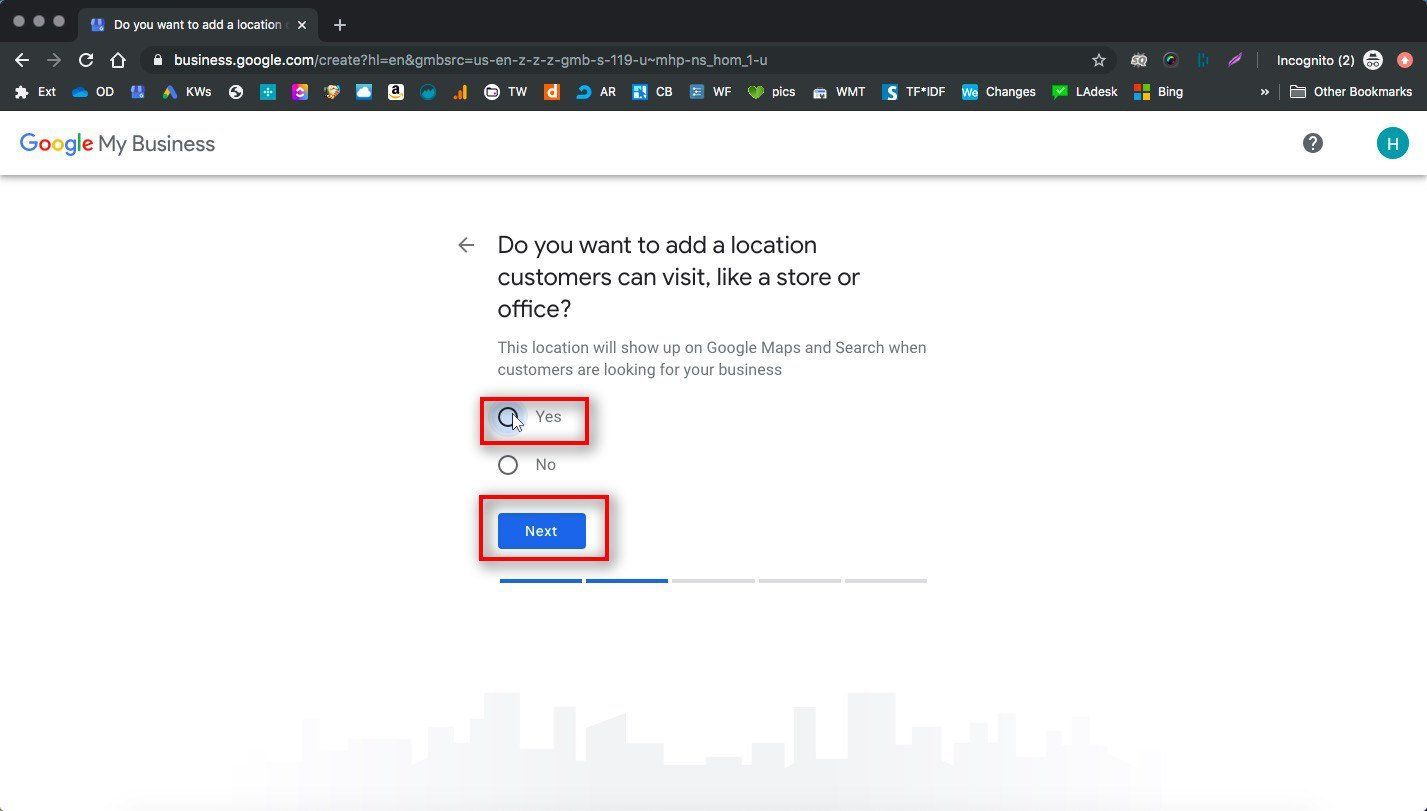
7. Designate whether your business has a location or not

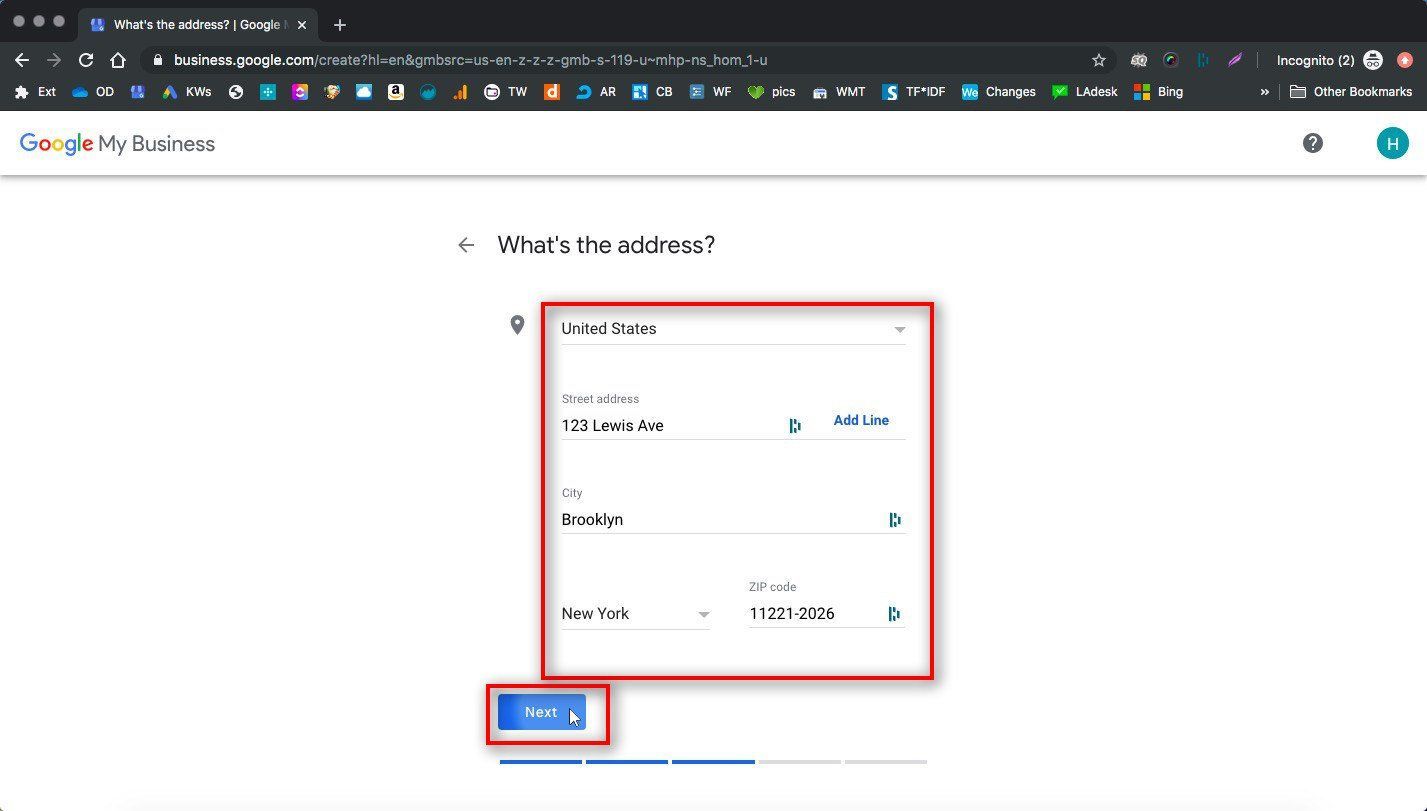
8. Enter your business address

Make sure you’re using the actual address of your business in the city you want to show up in, and make sure you can receive mail here. It will be important for verification later. 

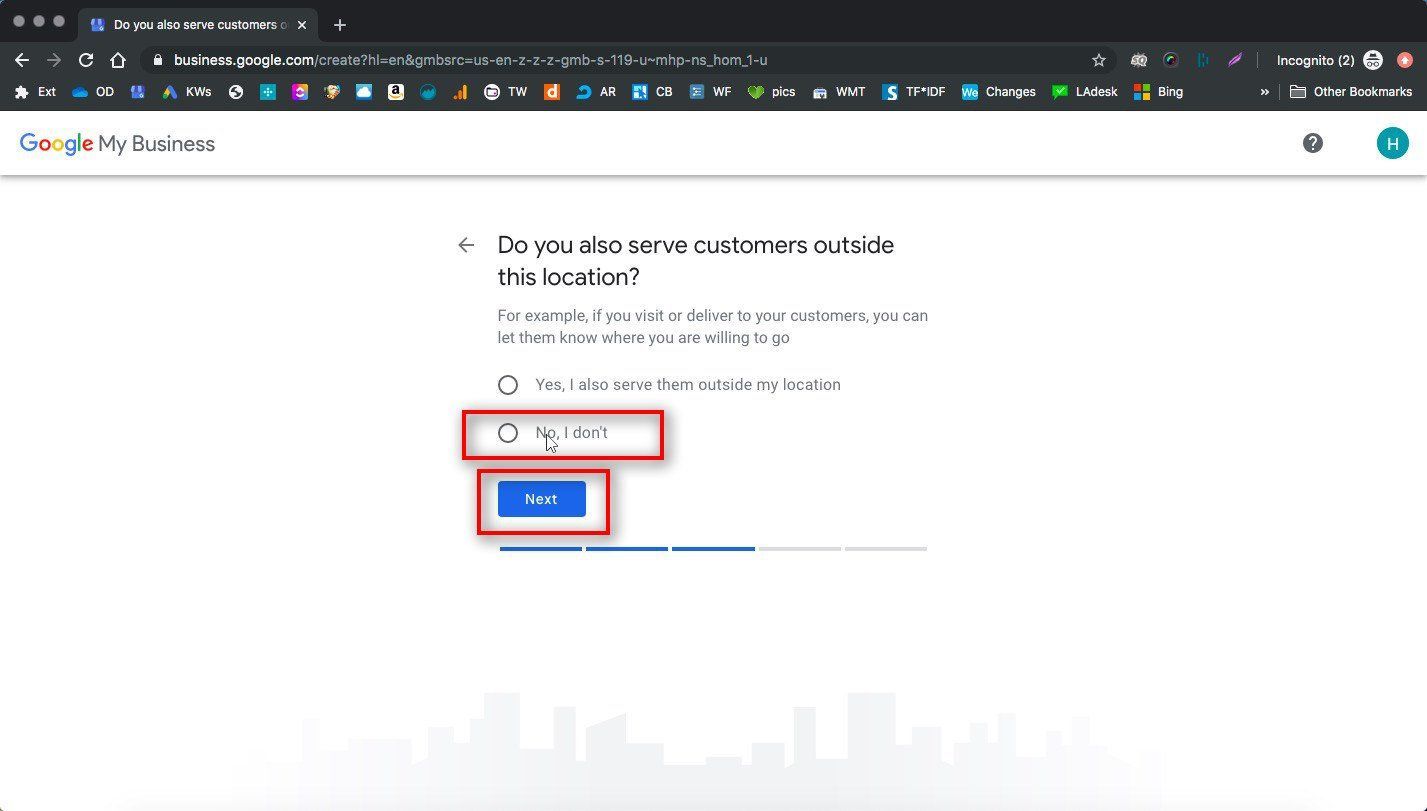
9. Designate whether you have a service area

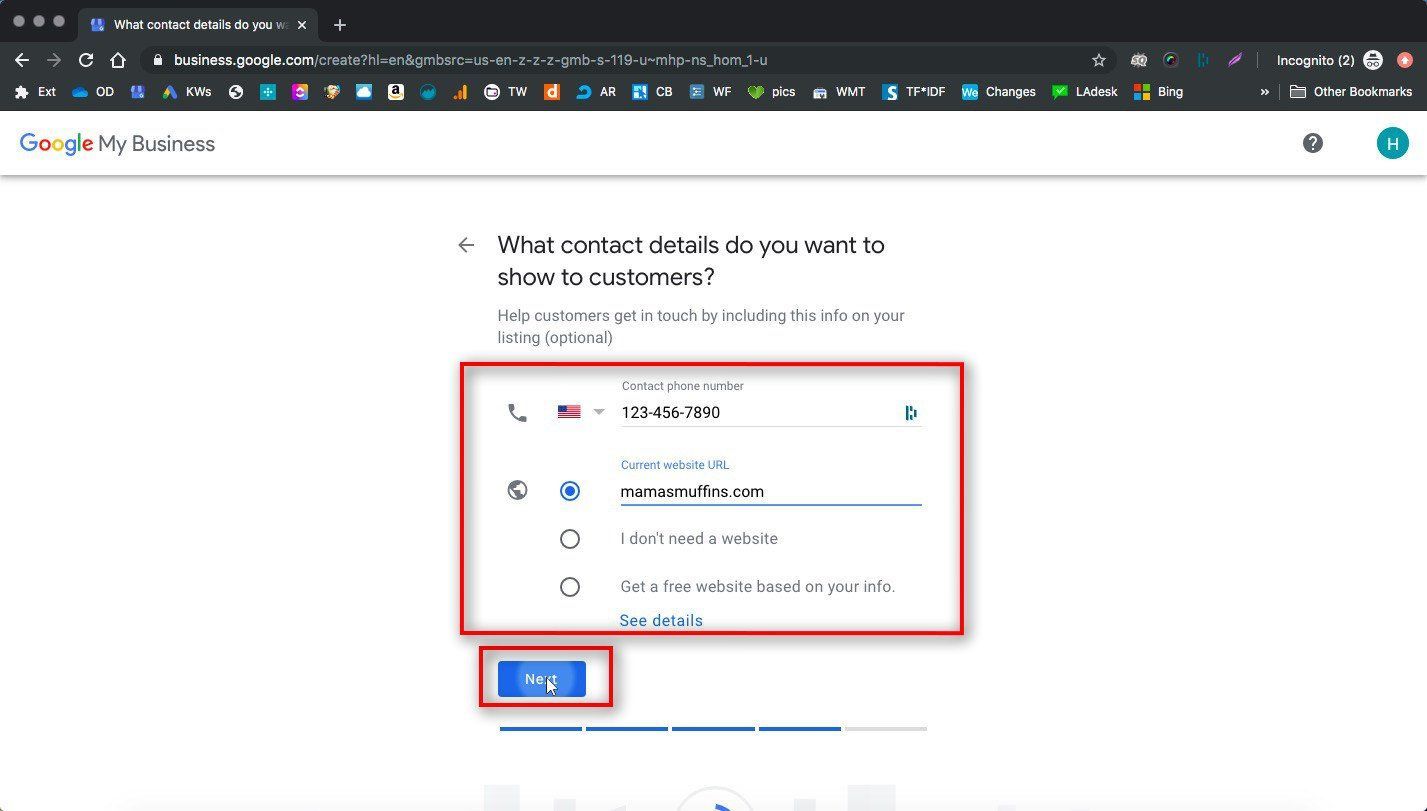
10. Enter your phone number and website

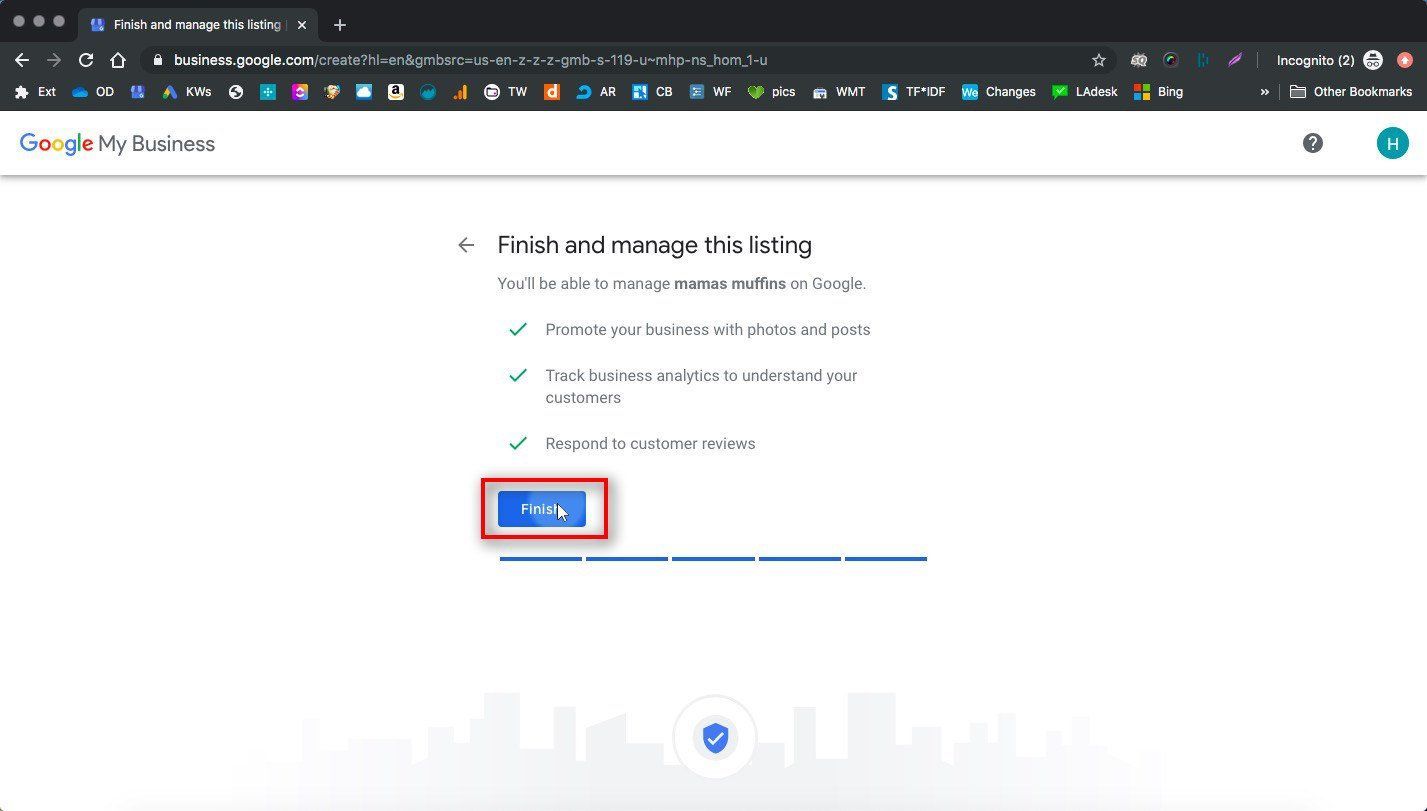
11. Click Finish

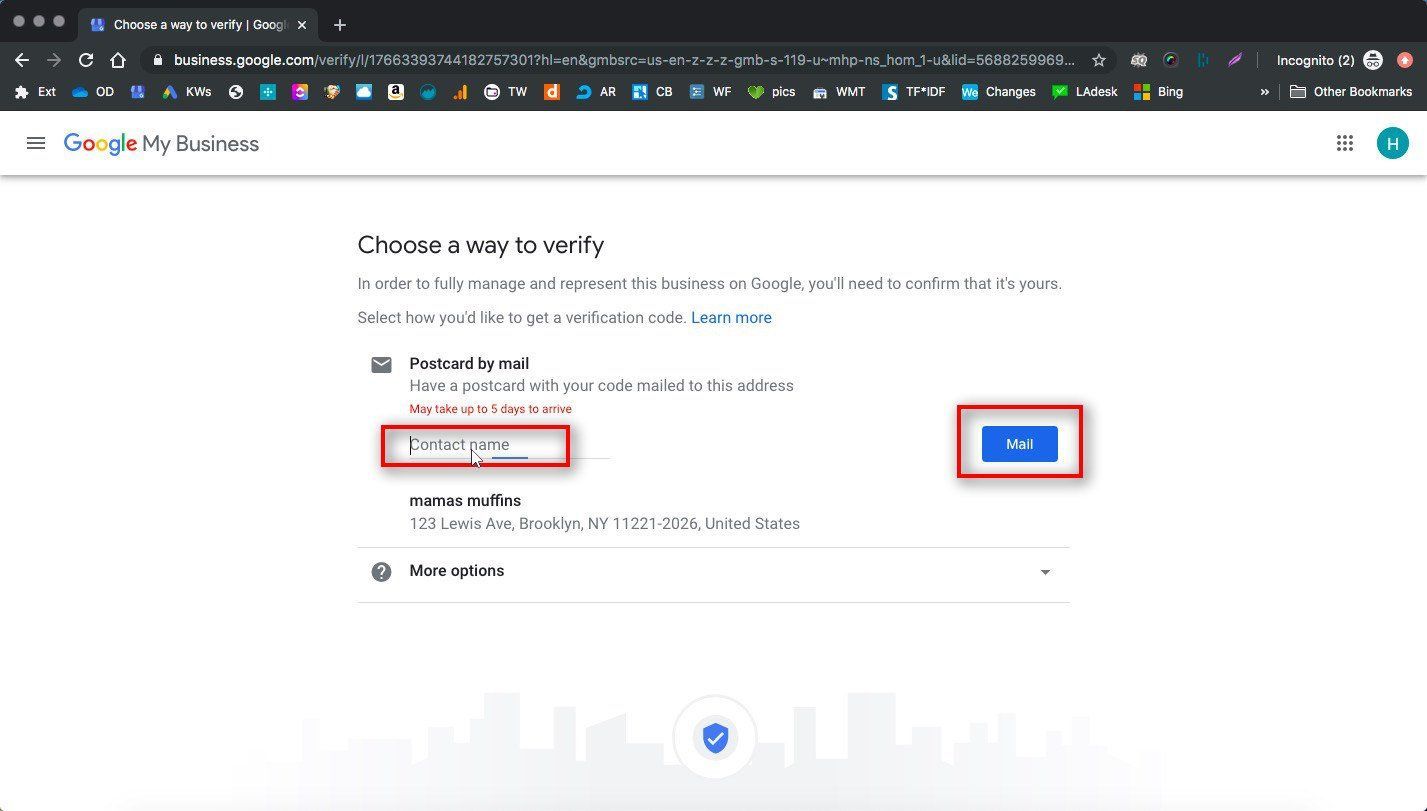
12. IMPORTANT: Verify your listing

This will usually be done with a postcard. Your postcard should arrive within a few weeks, and  then you need to enter the code on the postcard into the verification section of your GMB listing.  If you don't verify your Google listing when the postcard comes in, it will never go live, so this step is very important!

Sometimes if your business is established and there are already many references to your business name+phone number throughout the web, you can opt for a different faster kind of verification like a phone call.

Once you are done adding your listing to Google, it will become live after verification. After that, congratulations, you have successfully added your business to Google and can start getting free traffic and exposure from searches in your local area!

Next you’ll need to do some optimization for local search to be able to increase your visibility month over month. This includes adding more information to your listing, like photos, descriptions, and additional categories, and getting reviews on your new GMB profile. 

Watch Our Presentation to Get On Google Step By Step

By Hannah Martin July 29, 2025
Welcome to ProPages.ai!
By Hannah Martin July 18, 2025
Let me guess: You set up your business, opened shop, did all the paper work, and even paid for a website.. but people still aren’t coming in? Well, you might have forgotten an important step, or maybe you just didn’t know where to start with it… You need MARKETING and ADVERTISING. Marketing your small business is the key to all business sales, unless your entire business model is based on impulse buys. With marketing and advertising, the saying that “the early bird gets the worm” really rings true. Here are 20 ways you can advertise your local business without any expertise, so you can increase sales and get more customers. Before you jump into the list, did you know that SEO (short for “Search Engine Optimization”) can help bring customers to your business naturally? Imagine being listed on the first page when people search for your services in Google. We can do that! Check out our SEO services here. Here are 20 affordable marketing and advertising ideas for your small business Submit your business name, address, and phone number to all of the local directories that cover your town. This means setting up profiles on websites like Yelp, Yellowpages, and Foursquare. ( Bonus : do SEO on your Yelp page to come up higher there, too.) Make sure your business is listed on Google+ for Business. If it is, make sure you claim the listing. If it’s not, make sure you set it up! (And then claim it.) Create an optimized Facebook page for your business. Invite all of your friends in the area, and run ads to people who might be interested in your services nearby. Put your vehicle in a vinyl wrap. This is like a mobile billboard that advertises your local business wherever you go! Establish your expertise on social media by creating posts about your professional/business accomplishments. Ask for referrals from past customers. You can even offer a referral free (like I do!) to encourage fee, word of mouth advertising. Submit for a local “coupon book” membership. Take out an ad in the local newspaper. Sponsor a local event, such as Relay for Life, or a community marathon. Run a contest. You can advertise this contest using any of the methods above. Consistently blog about topics related to your business, that your customers would find helpful. Retarget people who have already been to your website, but might not have contacted you on their first visit. Take out PPC ads. Optimize your website to rank organically in Google . This is called SEO, and it means that when someone searches for your services (for example, “roofing company in Las Vegas”), you’ll come up first! Advertise on local news websites. Place ads on Craigslist.org. Join your local Chamber of Commerce. Use press releases when there is significant news for your business to talk about. (A grand opening press release would definitely be appropriate!) Attend a BNI meeting for your local chapter Once you start using some of these tips, business will start coming in. From there, the most important thing to keep growing your business is to ensure customers come back , so make sure you’re providing the best experience possible after your advertising brings the customer in.  Best of luck!

By Hannah Martin June 28, 2025
5 Steps Every Service Business Can Take to Get More Website Traffic & Sales

Show More